Let your imagination flow using StoryboardThat, a digital
storytelling tool, to create graphic novels, posters, infographics, worksheets,
and slideshows. Those are just a few ideas, but the sky is the limit! This tech
tool can be accessed via the app, the StoryboardThat’s website, or through one’s
Clever, Office 365, Google, Twitter, or Facebook account.
This app works better on a laptop or desktop while creating
a digital story, as the graphics take up a lot of the screen on a tablet or cell
phone. The final product can be viewed on any type of device, which would make
it a partially agnostic tool. (Moorefield-Lang, 2014, p. 8).
The first time you access the app, you are prompted step-by-step
to create a simple, customized storyboard. I personally love the diversity of
the characters and epochs, along with the drag and drop features.
Some of the
features that you can customize include:
- Scenes
- Speech or text bubbles
- Characters
- Shapes
- Infographics
- Web & wireframes
- Science
- Worksheets

The app has a free and paid versions. I will focus on the
features of the free version as many schools and students have limited funds.
- The single user, free account includes:
- Two storyboards per week
- Classic layout with three and six cell storyboards
- Limited printing
- Watermarked downloads
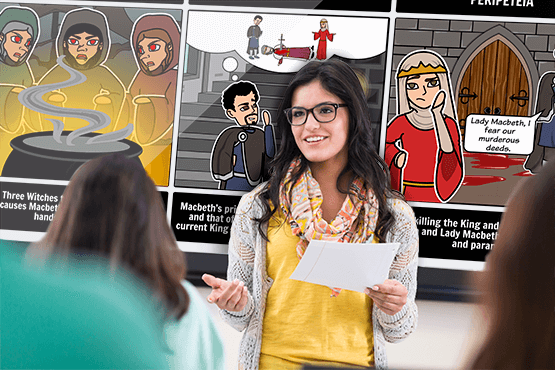
Students application ideas: demonstrate knowledge about a
concept or standard, write a book, design a poster or infographic. One example would be for social
studies students to create their own mythological storyboard after studying
Greek and Roman mythology.
Educator use ideas: create instructional storyboards for
professional development, or classroom rituals and routines, and lessons.
Lesson plans and projects ideas are available at https://www.storyboardthat.com/articles/education/teacher-resources
A brief and very helpful introductory tutorial:
Sources:
Getting started with storyboardthat. (2017). Retrieved from https://www.youtube.com/watch?v=xkgNAMDL_sM
Moorefield-Lang,
H. (August/September 2014). An Exploration and Explanation of Device Agnostic Tools.
Library Media Connection, 8-9.
Retrieved from https://www.cosa.k12.or.us/sites/default/files/images/top_5.pdf


No comments:
Post a Comment